 Please wait....
Objective
The guide provides you with instructions on how to submit legal requisitions using the Due Diligence module in SPEX.
Step One: Add Property
Step Two: Add Stakeholder profiles
Step Three: Conduct Due Diligence
You can skip Step 2 and go to Step 3 directly if you are intending to conduct due diligence only. To access all other task items, you will need to complete Step 2.
Note: If you are not the registered authorized user with CrimsonLogic, you are advised to update your user details with CrimsonLogic customer administration division to ensure seamless exchange of SPEX.
STEP ONE: ADD PROPERTY
Introduction
The guide provides you instructions on how to commence a case file by creating a property before running your due diligence searches/legal requisition submission.
As this is a property-centric case file management system, user is required to start the workflow journey by creating a property file.
Please take note that once you have started conducting transactions online, you will not be able to delete the online case file from the system.
Please approach CrimsonLogic helpdesk to seek assistance on the deletion of files from the SPEX system.
STEP ONE: ADD PROPERTY
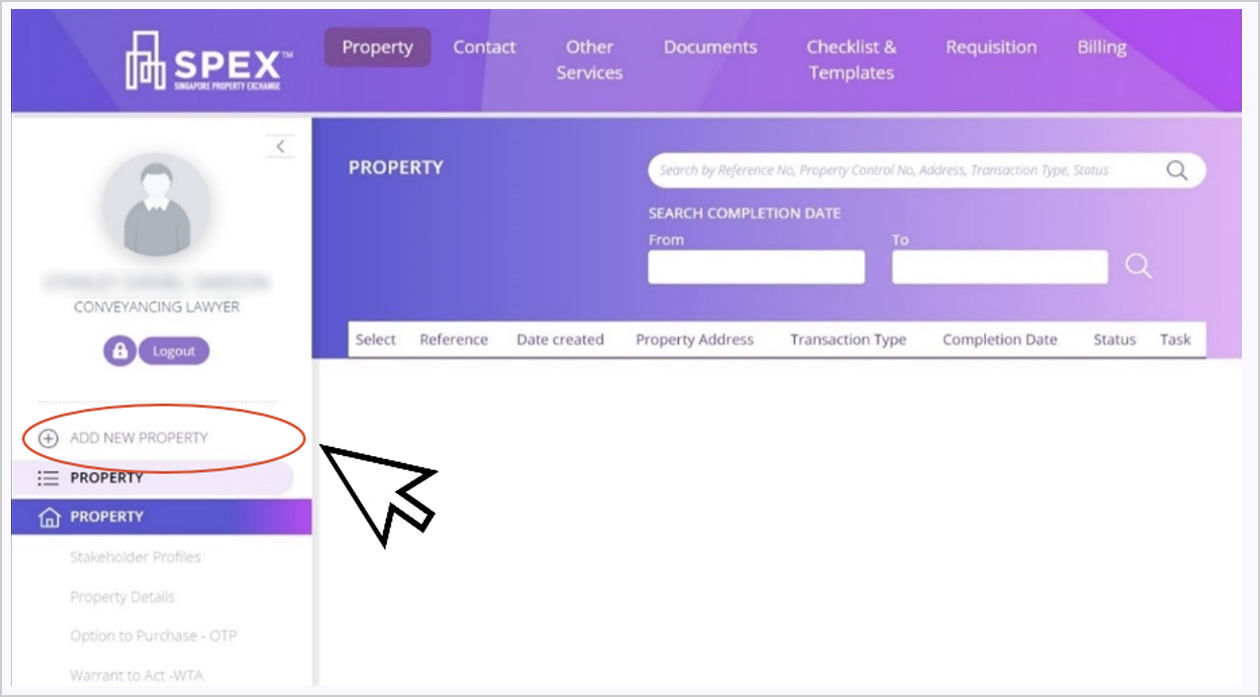
1. Click “Add New Property”
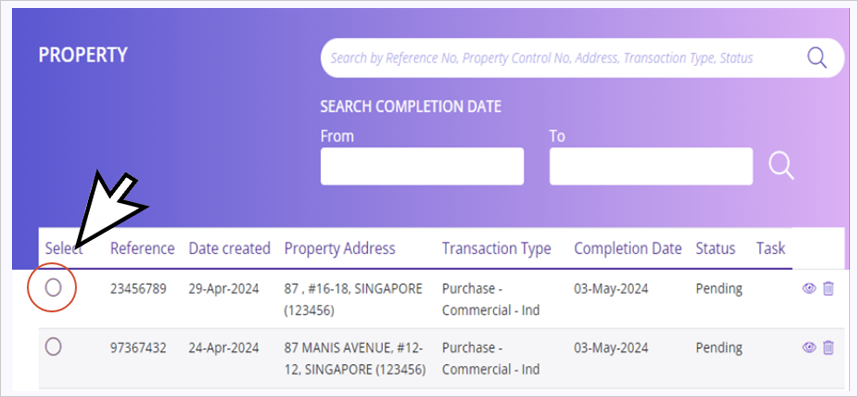
Note: You can choose to run due diligence searches on an existing property by selecting a case file from the property listing page.
STEP ONE: ADD PROPERTY
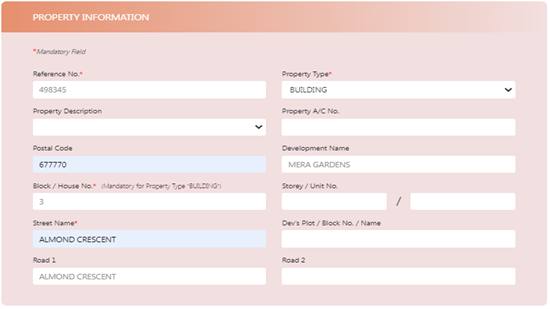
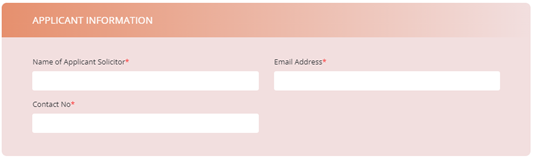
2. Enter Property Information. All *Mandatory fields are required to be filled up.
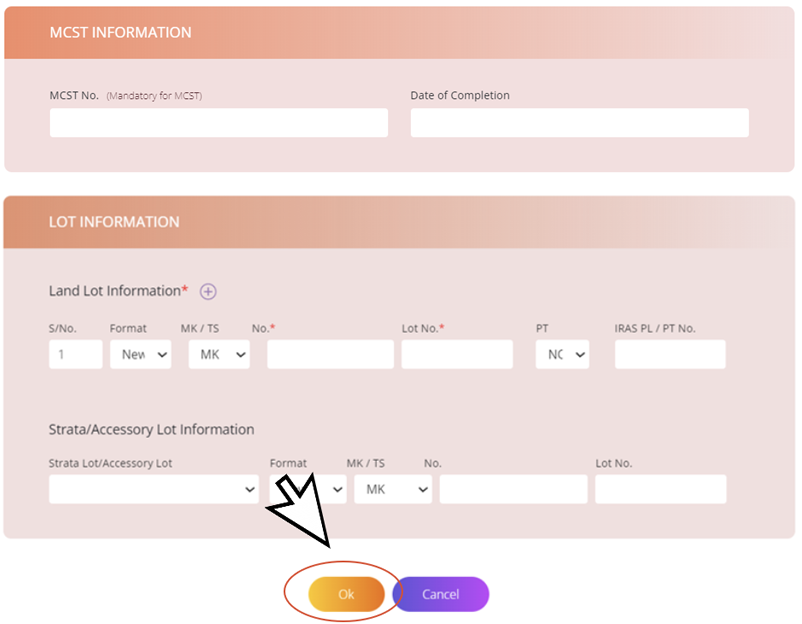
Note: MCST No. and lot information are not required during property creation stage. The information is only required to submit due diligence searches/legal requisition submissions.
STEP ONE: ADD PROPERTY
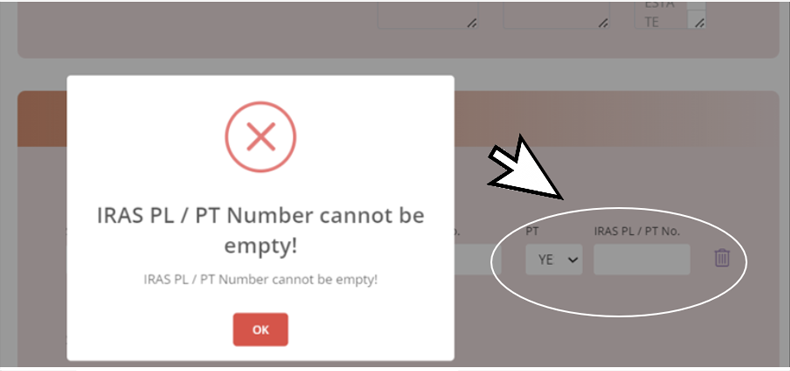
3. Lot Information: If you select “PT” as “Yes”, you are required to complete IRAS PL/PT number.
STEP ONE: ADD PROPERTY
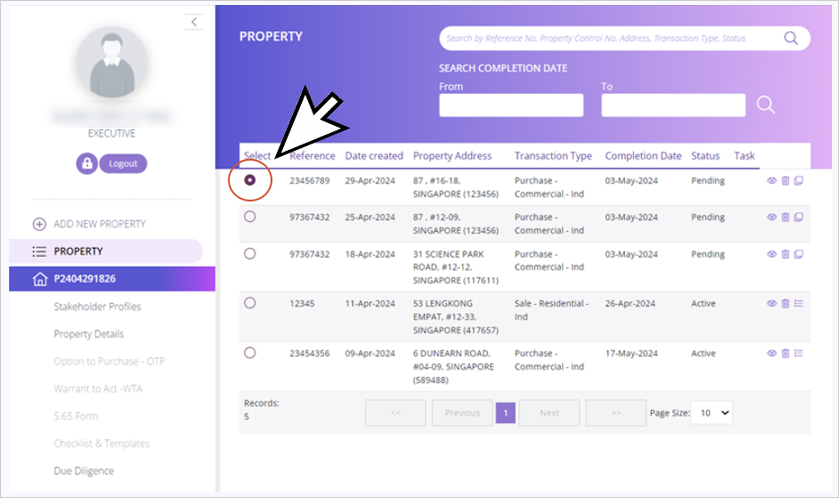
4. You will be directed back to the dashboard once the property is created. The newly created property will show up in your dashboard. The status will show as “Pending” to indicate that a property has been created (You have not submitted any legal requisitions yet). The Status will change to “Active” after Property Information and Primary Stakeholder Profiles have been completed.
Note: The status in the property listing page is not intended to track your legal requisitions submissions. You will need to click on Due Diligence module to commence your submission. There is a status page in the Due Diligence module to track your legal requisitions.
STEP Two: Add Stakeholder profiles
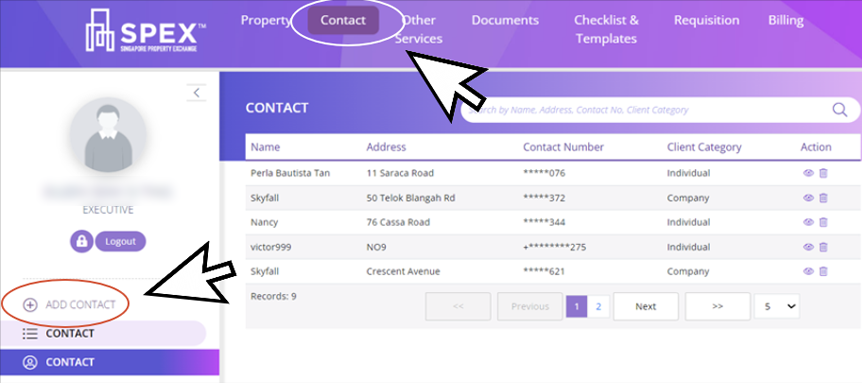
Add Client as your Contact
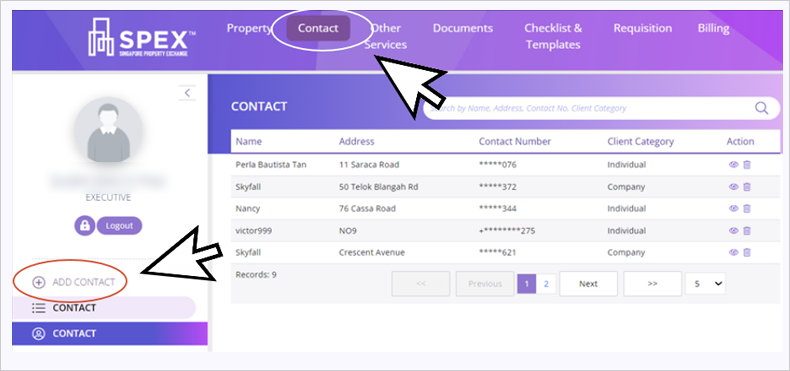
1a. Add client (buyer or seller) as your contact
STEP Two: Add Stakeholder profiles
Add Client as your Contact
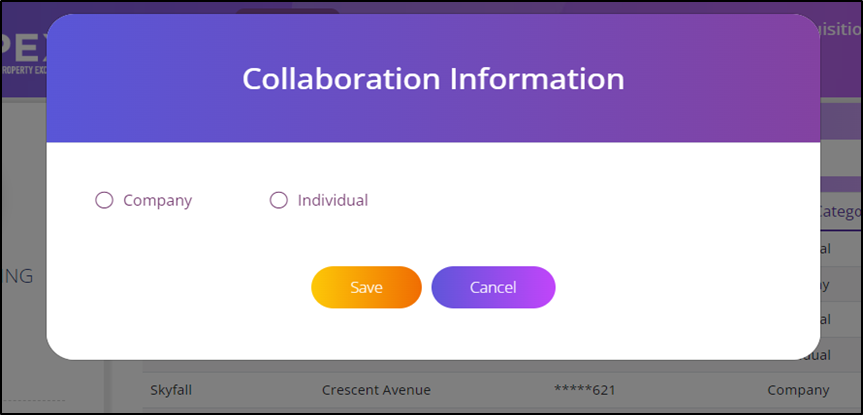
1b. Select Company or Individual
STEP Two: Add Stakeholder profiles
Add Client as your Contact
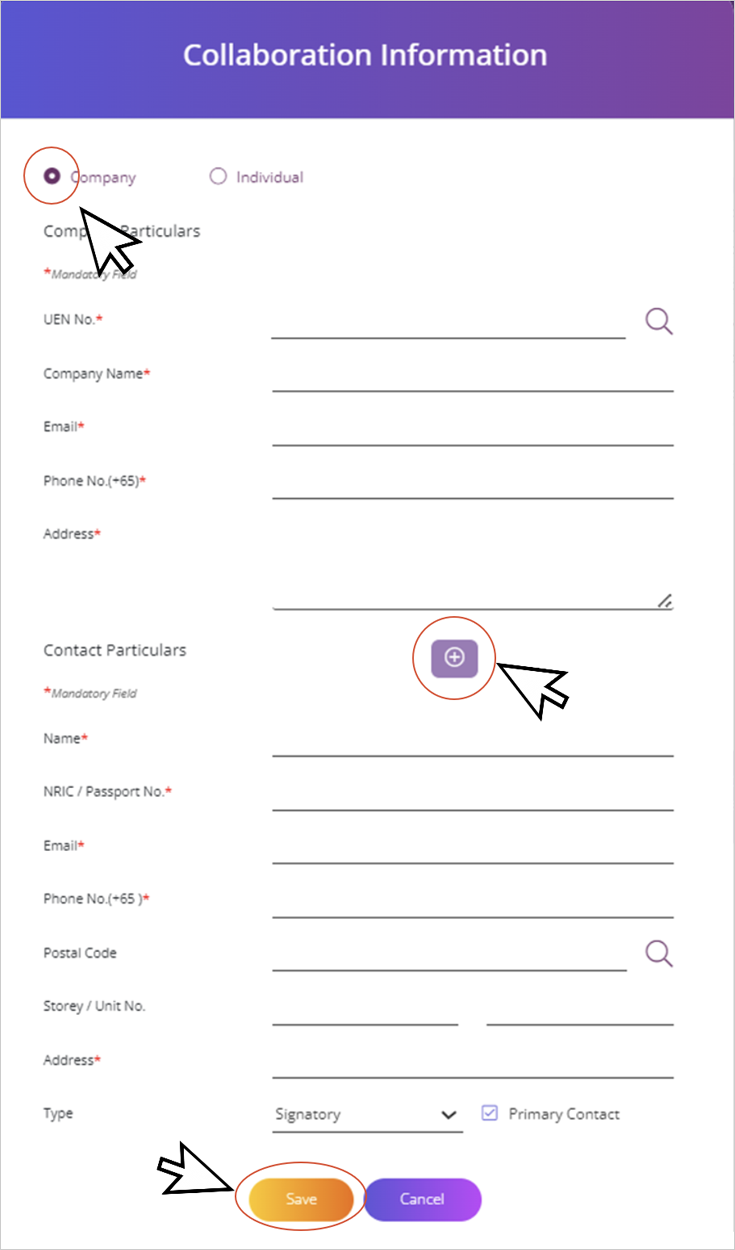
1c. Select Company. Fill up mandatory fields. Select “+” to add additional contacts related to the property. Click “Save”.
STEP Two: Add Stakeholder profiles
Add Client as your Contact
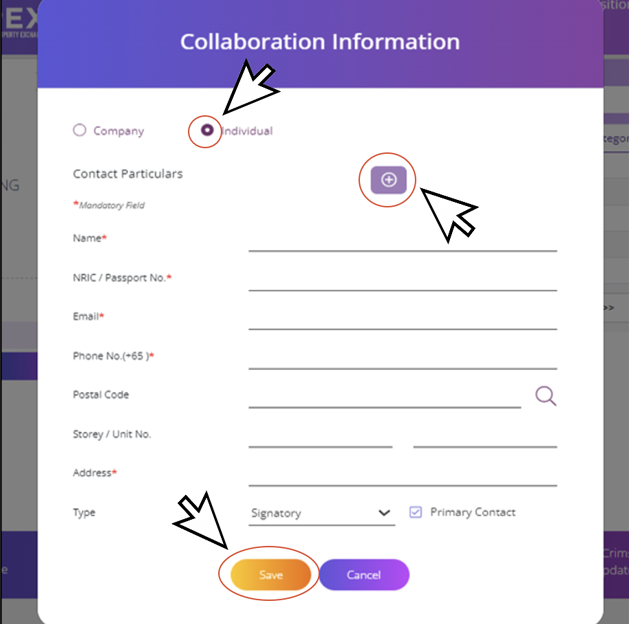
1d. Select Individual -fill up mandatory fields. Click “Save”. Select “+” to add additional contacts related to this property.
STEP Two: Add Stakeholder profiles
Add Client as your Contact
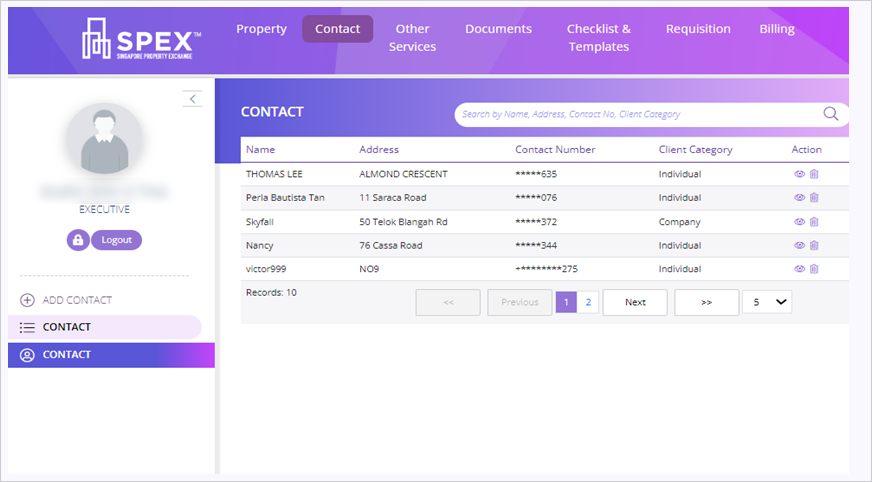
1e. You will be redirected to the contact dashboard which will show the newly created contact.
STEP Two: Add Stakeholder profiles
View, Edit and Delete Contact List
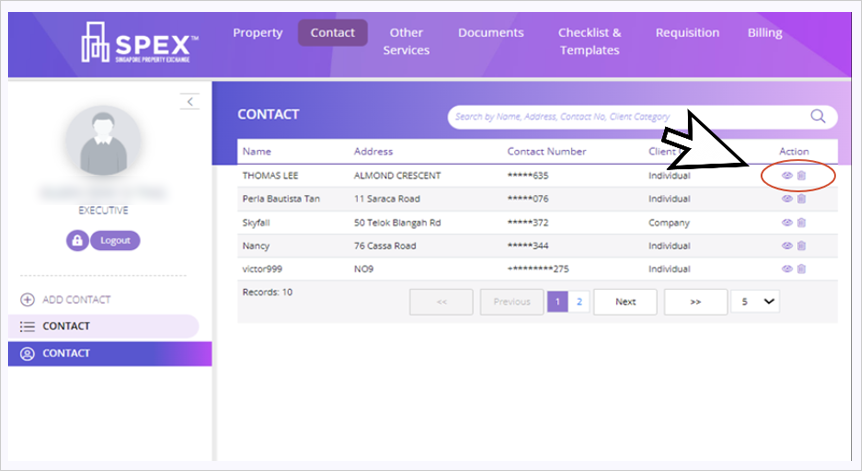
2a. Click “view" icon to view property information details. Click “trash" icon to delete (It is only allowed if status shows as “Pending”)
Note: You may delete the contact anytime if the property listing indicates the status as “Pending” “When a property ‘s status is “Active,” you cannot edit the property or contact details. “Active” status is displayed when you have added the primary stakeholder profiles.
STEP Two: Add Stakeholder profiles
View, Edit and Delete Contact List
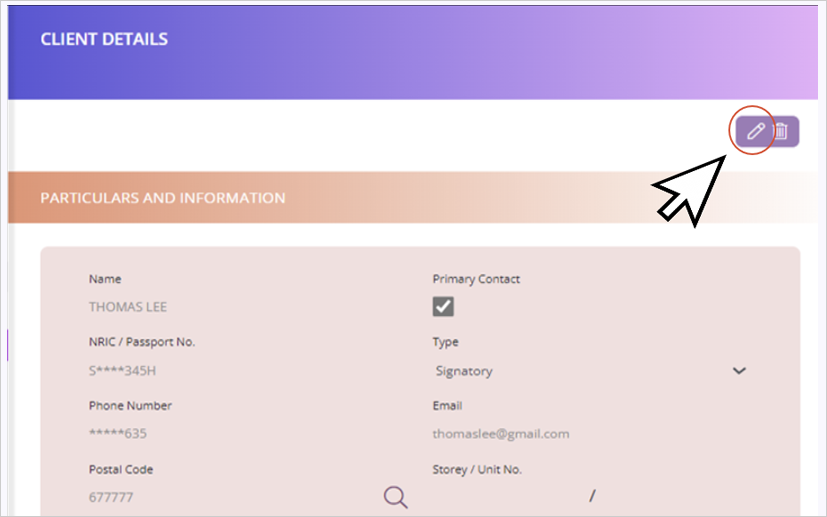
2b. Click “edit” icon to edit the particulars and information
STEP Two: Add Stakeholder profiles
View, Edit and Delete Contact List
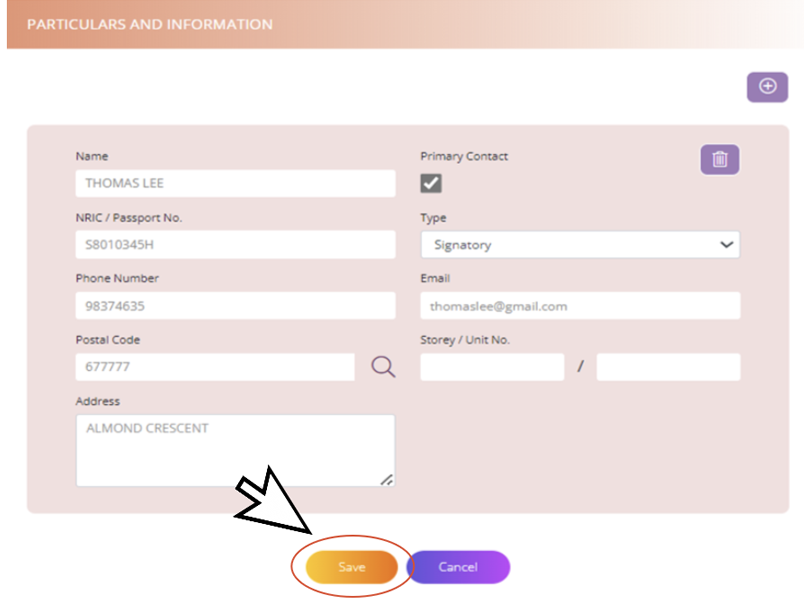
2c. Click “Save”.
STEP Two: Add Stakeholder profiles
View, Edit and Delete Contact List
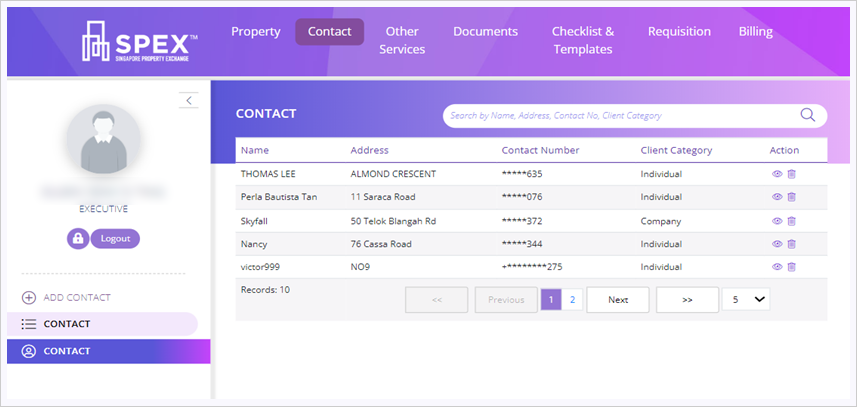
2d. You will be redirected back to the contact listing page.
Step Three: Conduct Due Diligence/Legal Requisition Submission
Due diligence Submission (DDS)
Objective
To provide a step-by-step guide to conduct due diligence check in Singapore Property Exchange (SPEX).
The check is required to identify any legal encumbrances running with the property and verify all available information on a person, company, or entity prior to completing a conveyancing transaction.
Note: To access all other task items, you need to complete at least the Primary stakeholder profiles. Once completed, the case status will become active for you to work on the rest of the task items.
Step Three: Conduct Due Diligence/Legal Requisition Submission
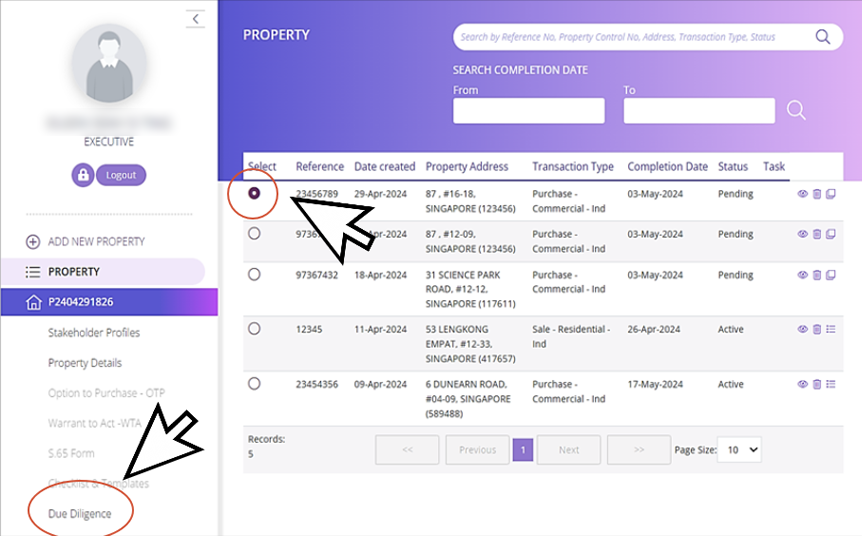
DDS Property Listing Page
1a. After log in, select a property from the property listing page and click “Due Diligence” as your task item to commence your Due Diligence search.
Step Three: Conduct Due Diligence/Legal Requisition Submission
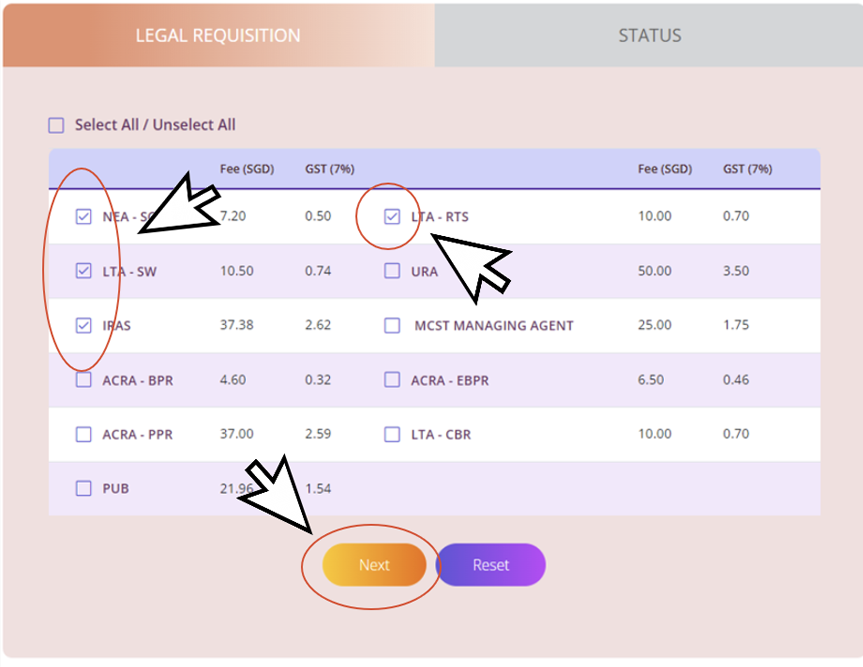
DDS Property Listing Page
1b. Select the agencies. Click “Next”
Step Three: Conduct Due Diligence/Legal Requisition Submission
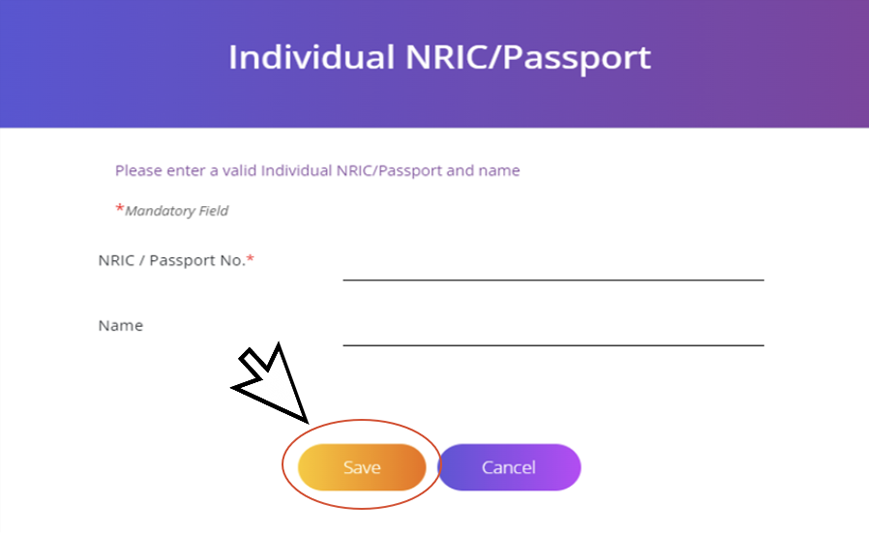
ACRA searches
2a. For ACRA related searches, you will be prompted to fill up the NRIC/ UEN No. For ACRA-PRP, fill up the NRIC No. and click “Save”
Step Three: Conduct Due Diligence/Legal Requisition Submission
ACRA searches
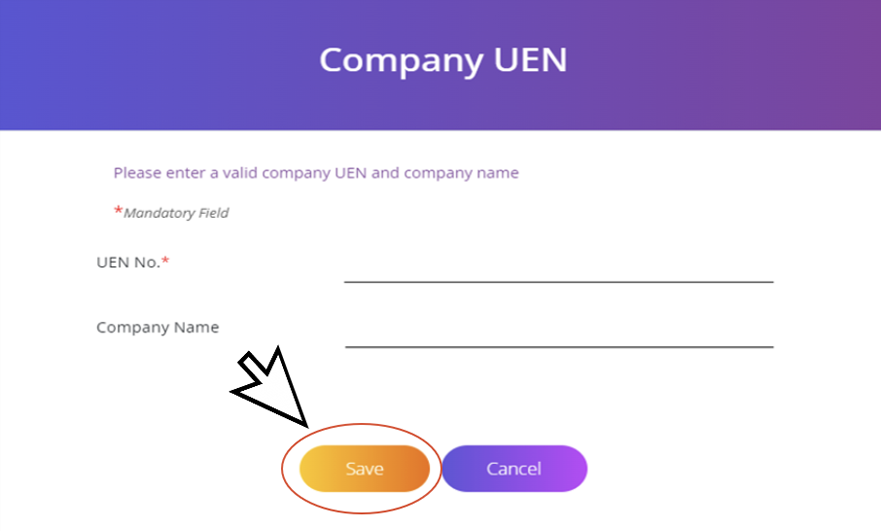
2b. For ACRA-BPR and ACRA-EBPR, fill up the UEN No. and click “Save”.
Step Three: Conduct Due Diligence/Legal Requisition Submission
ACRA searches
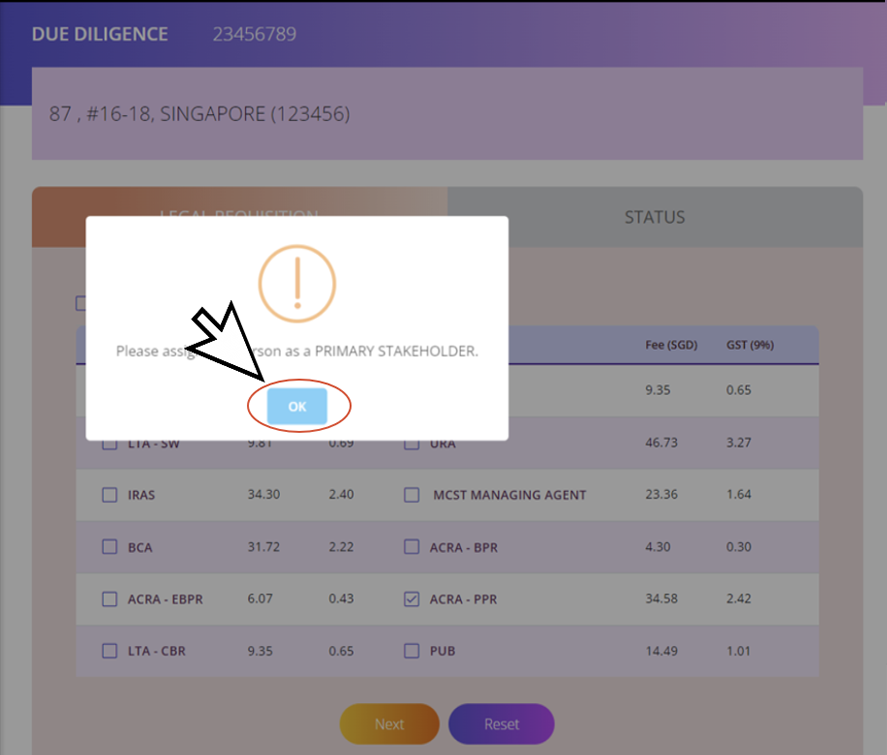
2c. Click “OK” to proceed with your due diligence search.
Step Three: Conduct Due Diligence/Legal Requisition Submission
ACRA searches
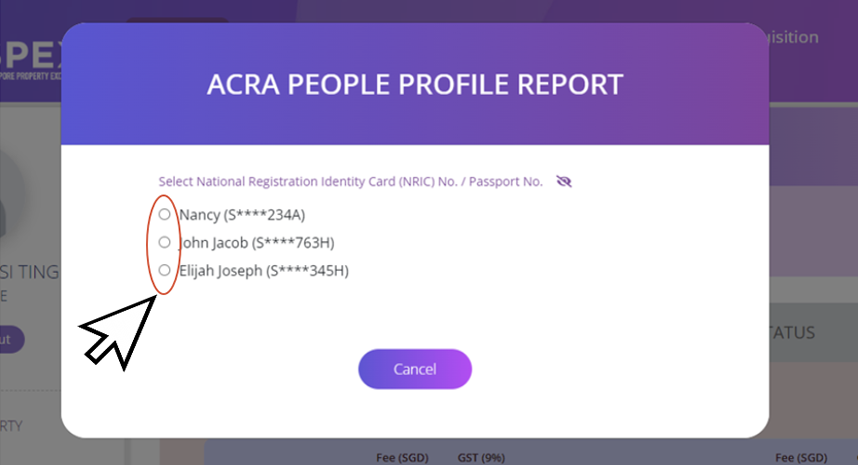
2d. If you have completed the buyer/seller profiles related to a property, the system will prompt you to select on profiles already saved.
Step Three: Conduct Due Diligence/Legal Requisition Submission
Confirmation Page
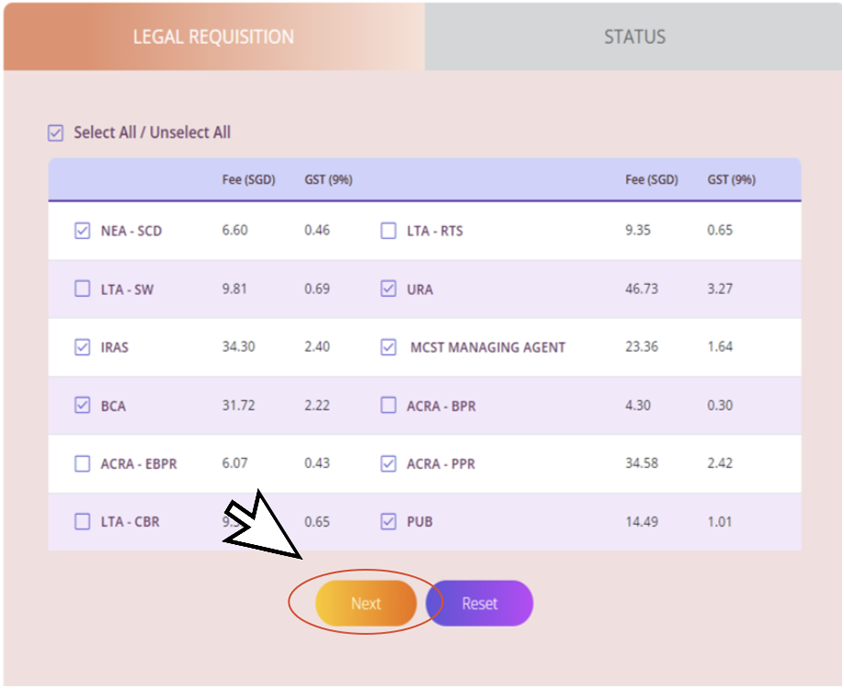
3a. Review selection and click “Next” to proceed.
Step Three: Conduct Due Diligence/Legal Requisition Submission
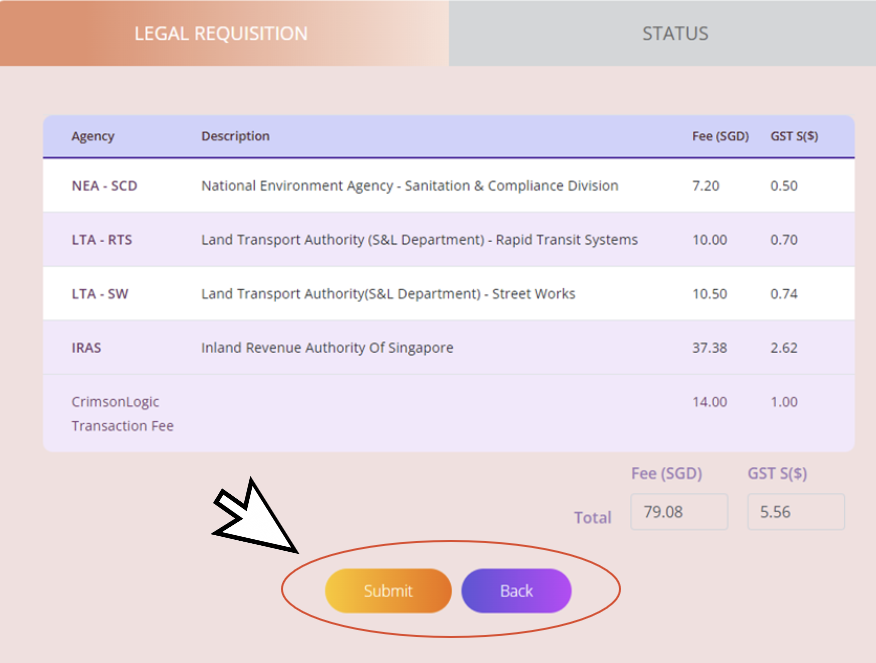
Fees and Charges
4a. Review and confirm your order by clicking “Submit”. To amend click “Back” button.
Step Three: Conduct Due Diligence/Legal Requisition Submission
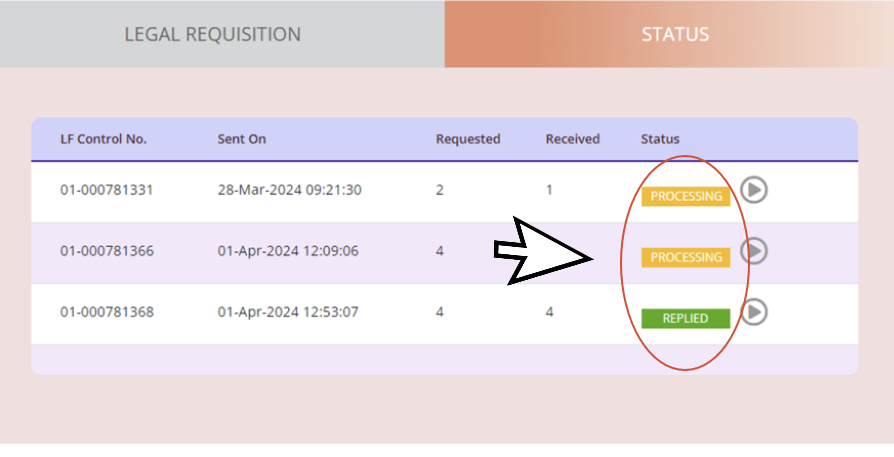
Track Status
5a. After submission, you will be directed to the status page to view and track the status of submitted legal requisitions.
There are two types of statuses: “Processing” and “Replied”.
Step Three: Conduct Due Diligence/Legal Requisition Submission
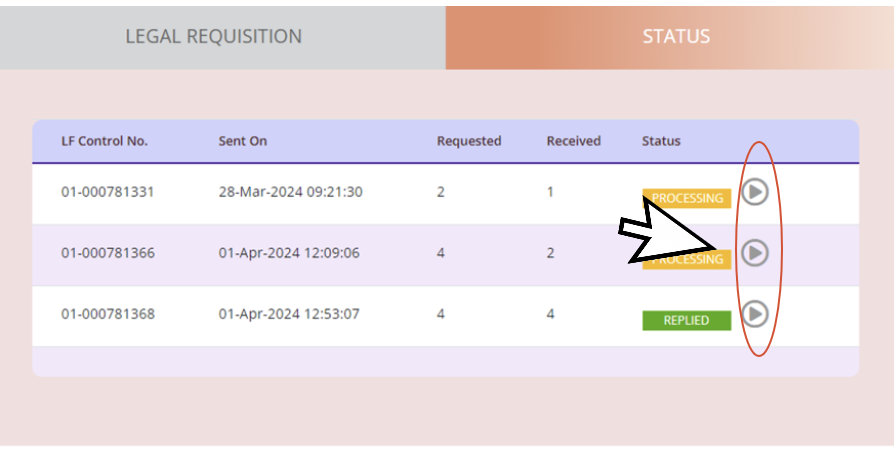
Status Page
6a. Select [arrow icon] to view detailed status report form respective agencies.
Step Three: Conduct Due Diligence/Legal Requisition Submission
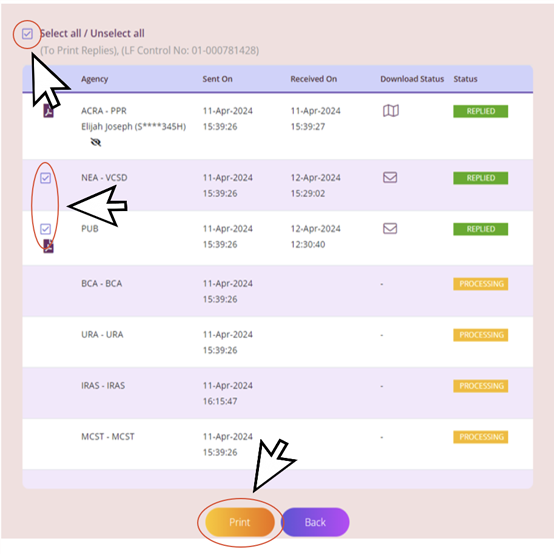
View and download report
7a. A tick box will appear once replies have been returned. “Select all” or select any of the reports by checking on the box next to the agency. Click “Print” to download the report(s).
Note: Multiple selection would result in consolidated reports for printing
Step Three: Conduct Due Diligence/Legal Requisition Submission
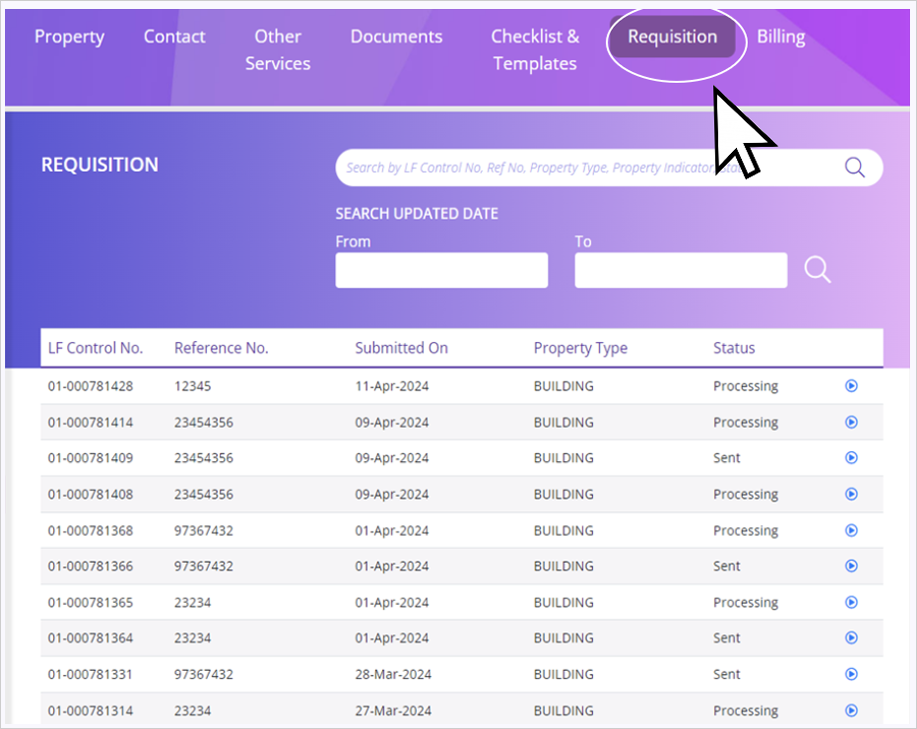
Requisition
8a. All submitted Legal Requisitions reports can be viewed on the “Requisition” page.
Step Three: Conduct Due Diligence/Legal Requisition Submission
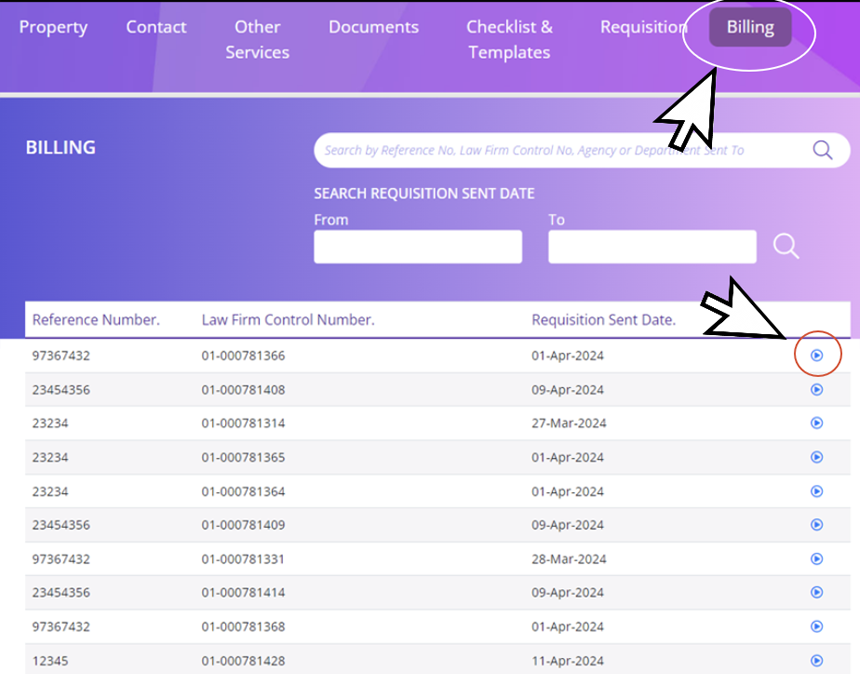
Billing
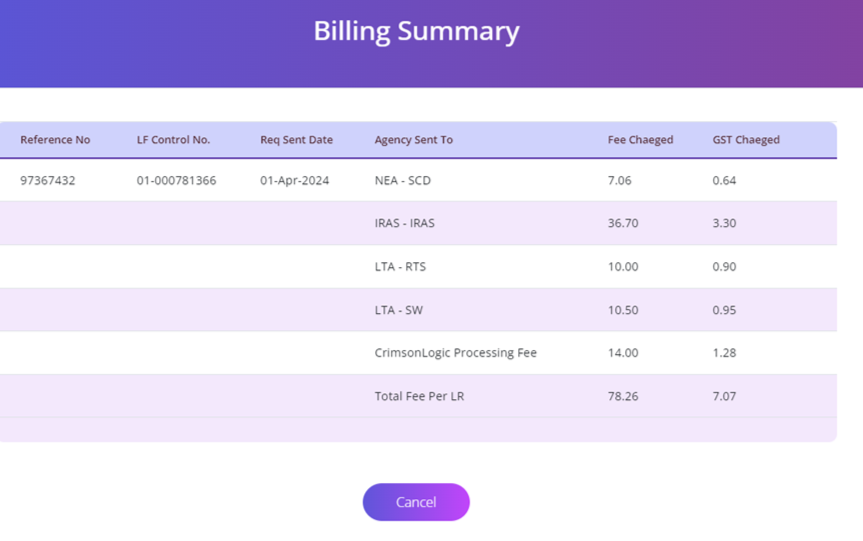
9a. All billing reports can be viewed on the “Billing” page. Select [arrow icon] to view billing in detail for the specific reference number and property.
Step Three: Conduct Due Diligence/Legal Requisition Submission
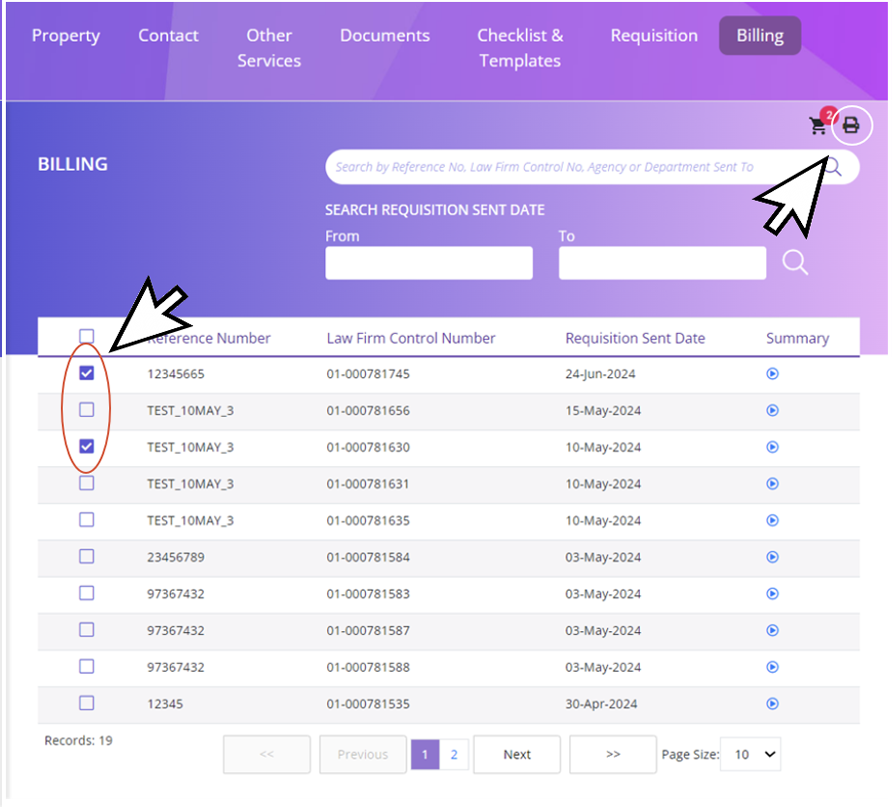
Billing
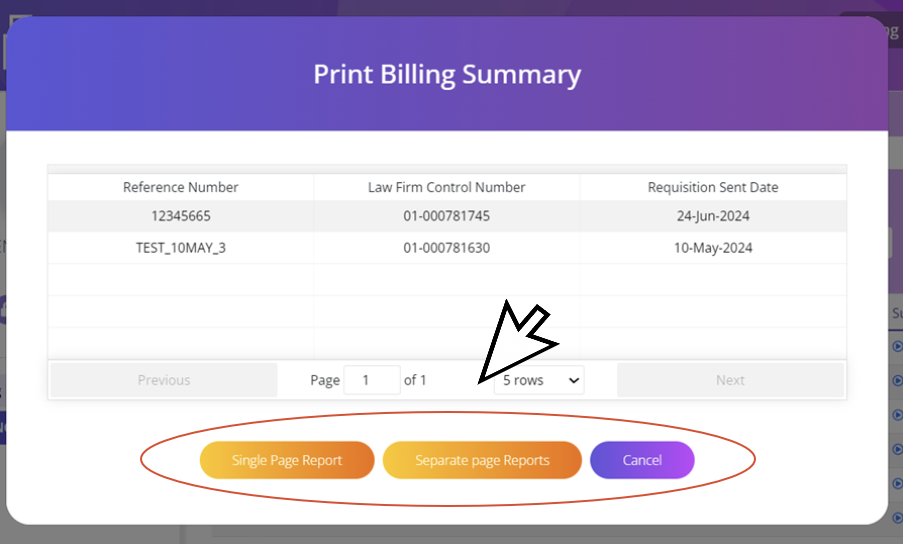
9b. All billing reports can be printed on the “Billing” page. Select the documents to print and click on the “Print” icon to view Billing Summary page.
Select on option to print in Single or Separate page reports. Otherwise, click cancel.
Step Three: Conduct Due Diligence/Legal Requisition Submission
Duplicate function
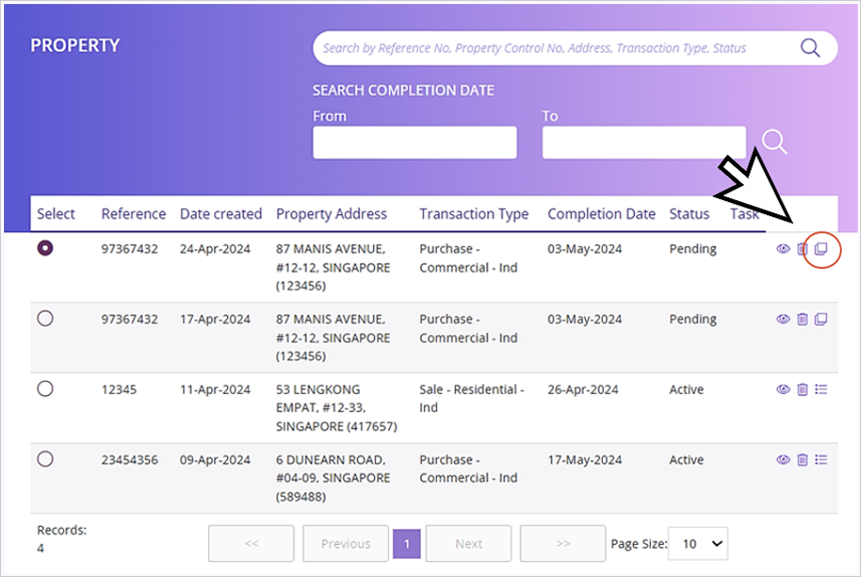
10a. To speed up legal requisition submissions in Due Diligence for the same property with a different unit, you can use the Duplicate function. Select the property address. It will display the Duplicate icon on the right side of the dashboard. Click “Duplicate” icon.
Step Three: Conduct Due Diligence/Legal Requisition Submission
Duplicate function
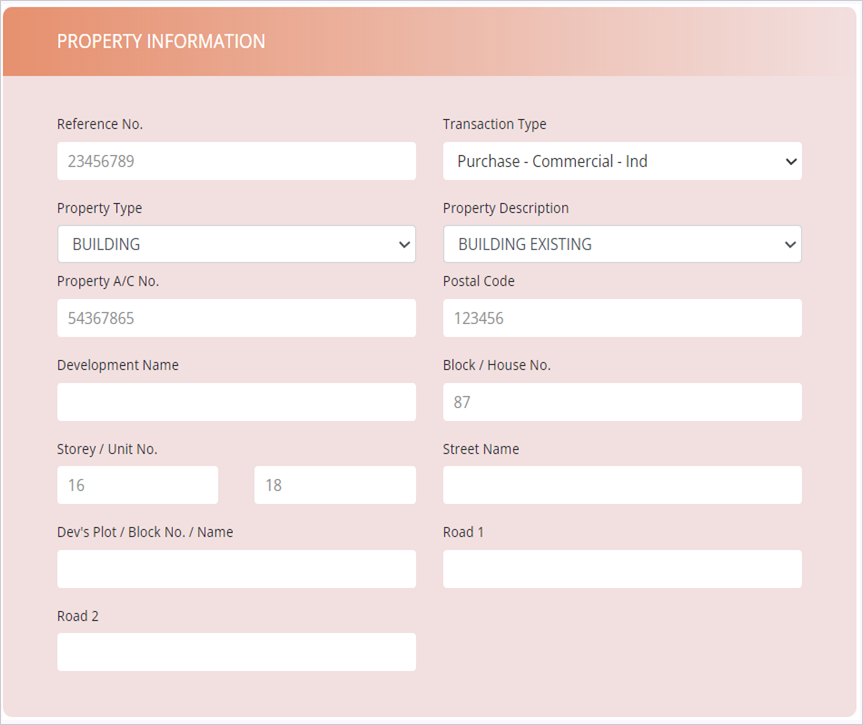
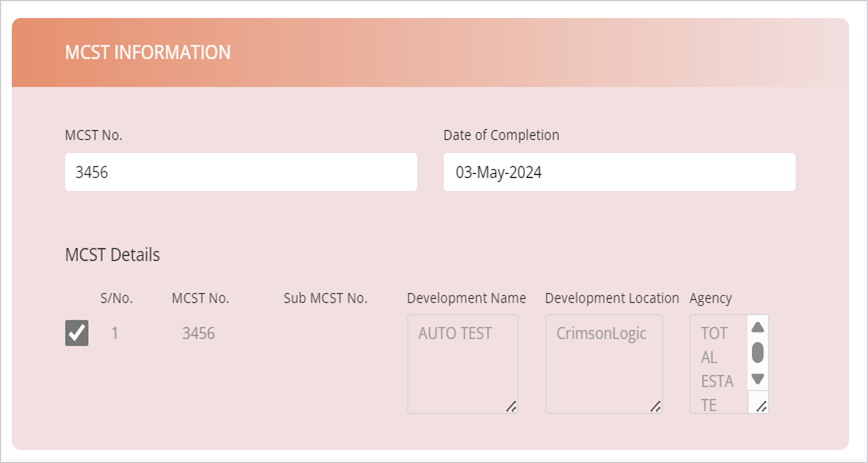
10b. You will be redirected to the property information page. Edit the Property information, MCST information and Lot information based on the new property details.
Step Three: Conduct Due Diligence/Legal Requisition Submission
Duplicate function
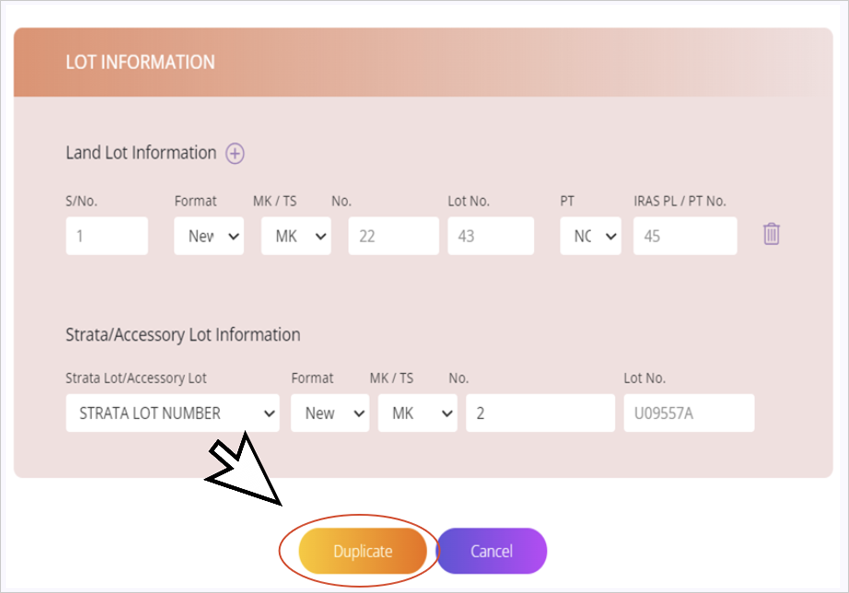
10c. Click “Duplicate” once done.
Step Three: Conduct Due Diligence/Legal Requisition Submission
Duplicate function
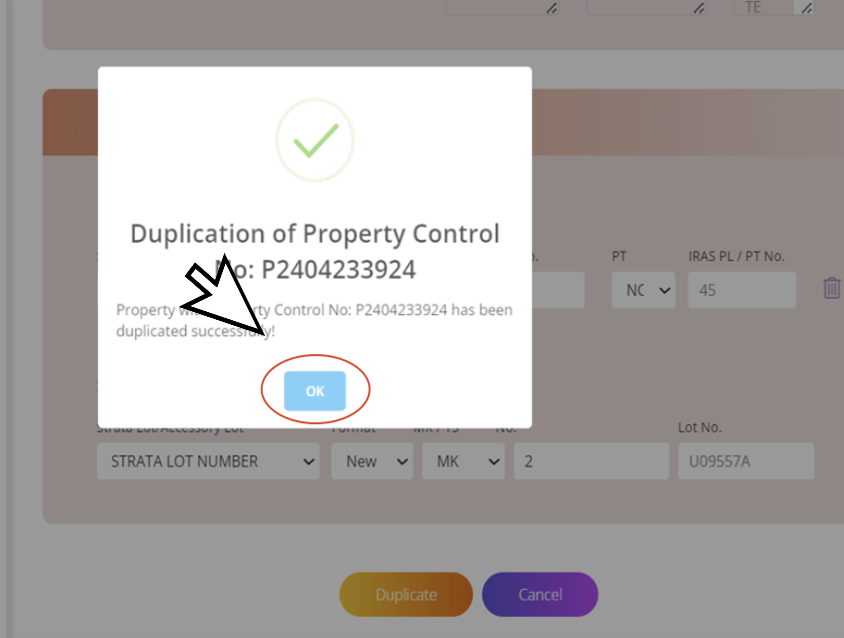
10d. Click “OK” and you will be redirected back to the Property Listing page.
Step Three: Conduct Due Diligence/Legal Requisition Submission
Duplicate function
10e. You will be able to view the new property on the Property Listing page.